The whole clipping job, in one app.
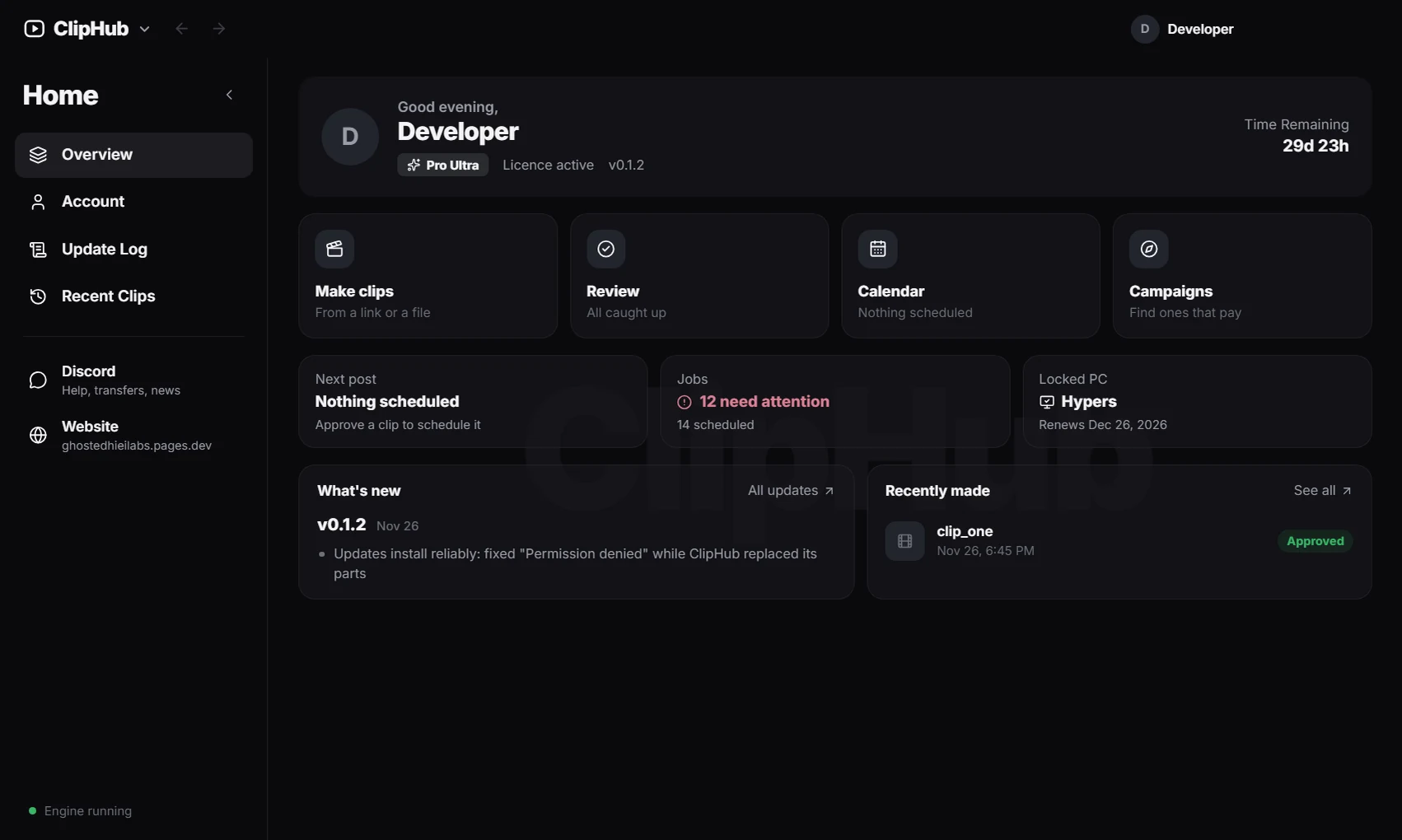
ClipHub finds the moments, cuts story edits with real captions, writes the post for every platform, schedules them in your audience's prime time and submits them to the campaign for you.
Everything a clipper does by hand
Every step you'd do yourself, done the way top clippers do it, with you approving every clip.
Finds the moments
Reads chat spikes, voice and picture changes on streams and VODs, and ranks the moments worth cutting.
Story edits, not raw cuts
Hook, setup, payoff and a loop: shots from many angles with face-cam layouts, punch-ins and sound.
Captions you can trust
Word-timed captions in clean looks. Fix any word once in Review and every render keeps it.
Posts at the right time
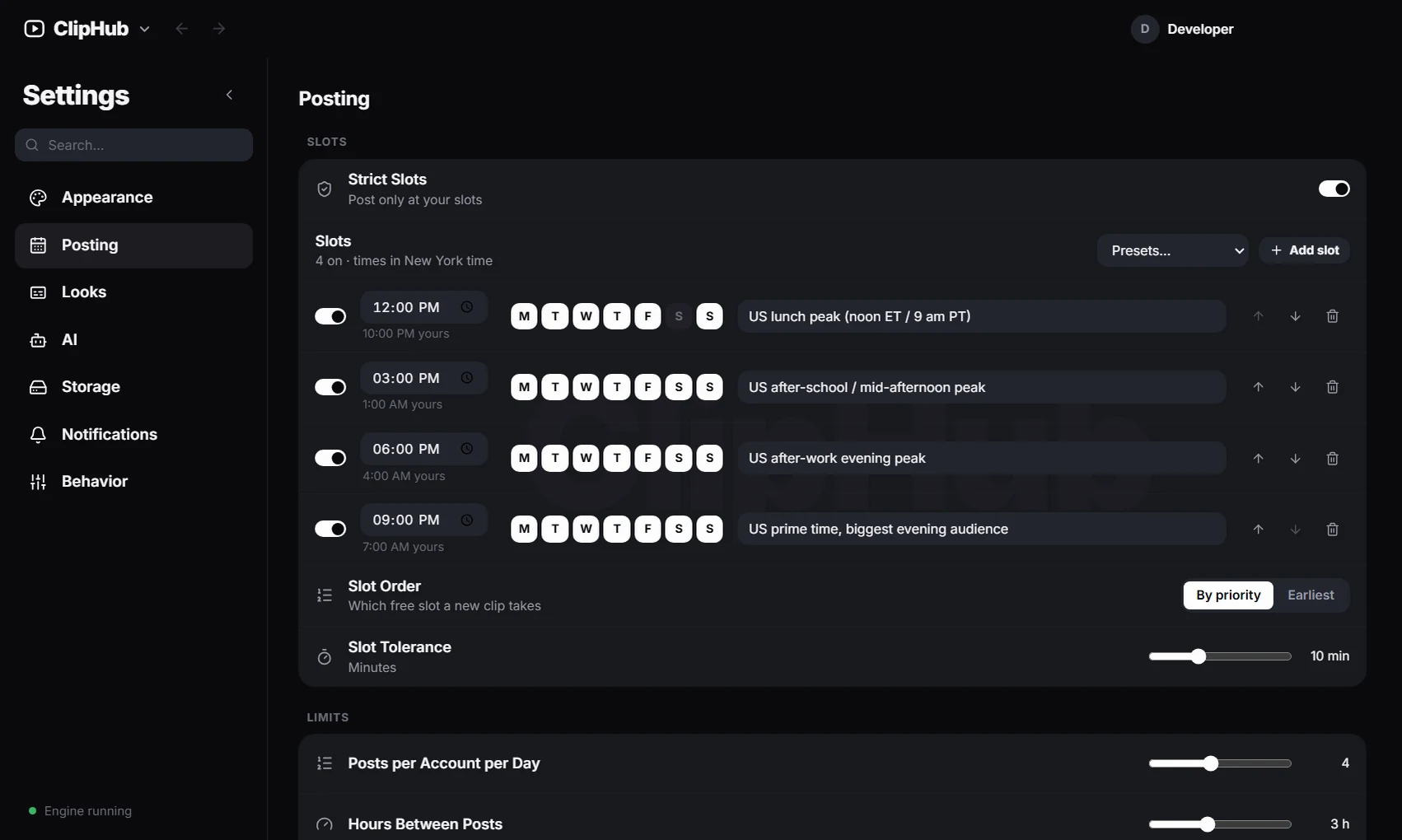
Slots in your audience's prime time, spacing per account, and a version per platform the campaign pays on.
Submits for you
Uploads with your own accounts and submits each clip to Content Rewards minutes after it goes public (automatic on Pro Plus and Pro Ultra).
Learns every week
Retention mapped onto every shot and word, and a weekly review that changes your next clips.
From campaign to posted clip
You pick the campaigns and say yes to every clip. ClipHub does the rest.
Pick a campaign
The campaign brief shows the pay, the rules that decide whether a clip is paid, and which platforms count.
Drop in a stream or VOD
ClipHub watches it, finds the peaks, and builds the edit from the moments you tick.
Approve in Review
Watch the clip, fix any caption word, and approve. Nothing is ever posted without your yes.
Posted and submitted
It goes out at the next prime-time slot on each platform and is submitted inside the campaign's 30-minute window.
Your AI, your accounts
Connect Claude, OpenAI, Gemini, OpenRouter or a local model. Your keys and sign-ins stay encrypted on your PC; your clips post to your own channels.
Questions
Do I need my own AI?
Yes. Connect Claude, ChatGPT, Gemini, OpenRouter or a free local model through Ollama. You pay them directly, and you choose how hard it thinks.
Does it post without asking me?
No. Every clip waits in Review until you approve it. Then it goes out at your next posting slot.
Where do my clips go?
To your own YouTube and Instagram accounts. Your sign-ins and keys stay encrypted on your PC.
What do I need to run it?
Windows 10 or 11 (64-bit) and about 2 GB for ClipHub, plus room for your videos. An NVIDIA graphics card makes transcription faster with the optional speed pack.
Can I move to a new PC?
Your key works on one PC at a time. Ask in our Discord and we'll move it for you.
What happens if I cancel?
Your plan keeps working until the end of the month you paid for. See refunds for the details.
Start clipping today
From $5 a month. Cancel any time; your plan runs to the end of the month you paid for.